Summary
I was design lead on Discord's Personalization team, a squad with the mission to harness emerging tech (AI here) to improve the user experience of Discord. The first feature that we collectively decided to embark on was conversation summaries. Through user feedback, we knew one of the most common complaints that Discord users had was that Discord could often be overwhelming. We hypothesized that summarizing the many conversations that happen could lead to users cutting through the noise and finding conversations that actually interest them more frequently.
At the very start of the project, I brainstormed and quickly mocked up some options for different surfaces the feature could live. One such placement was creating a net new surface called something like 'topics' and positioning it at the highest level near Friends and Nitro. However, this went against one of our project principles to build where users already are spending their time. I also explored a few other areas like the channel list on the left, but that didn't allow enough room to give users enough context.
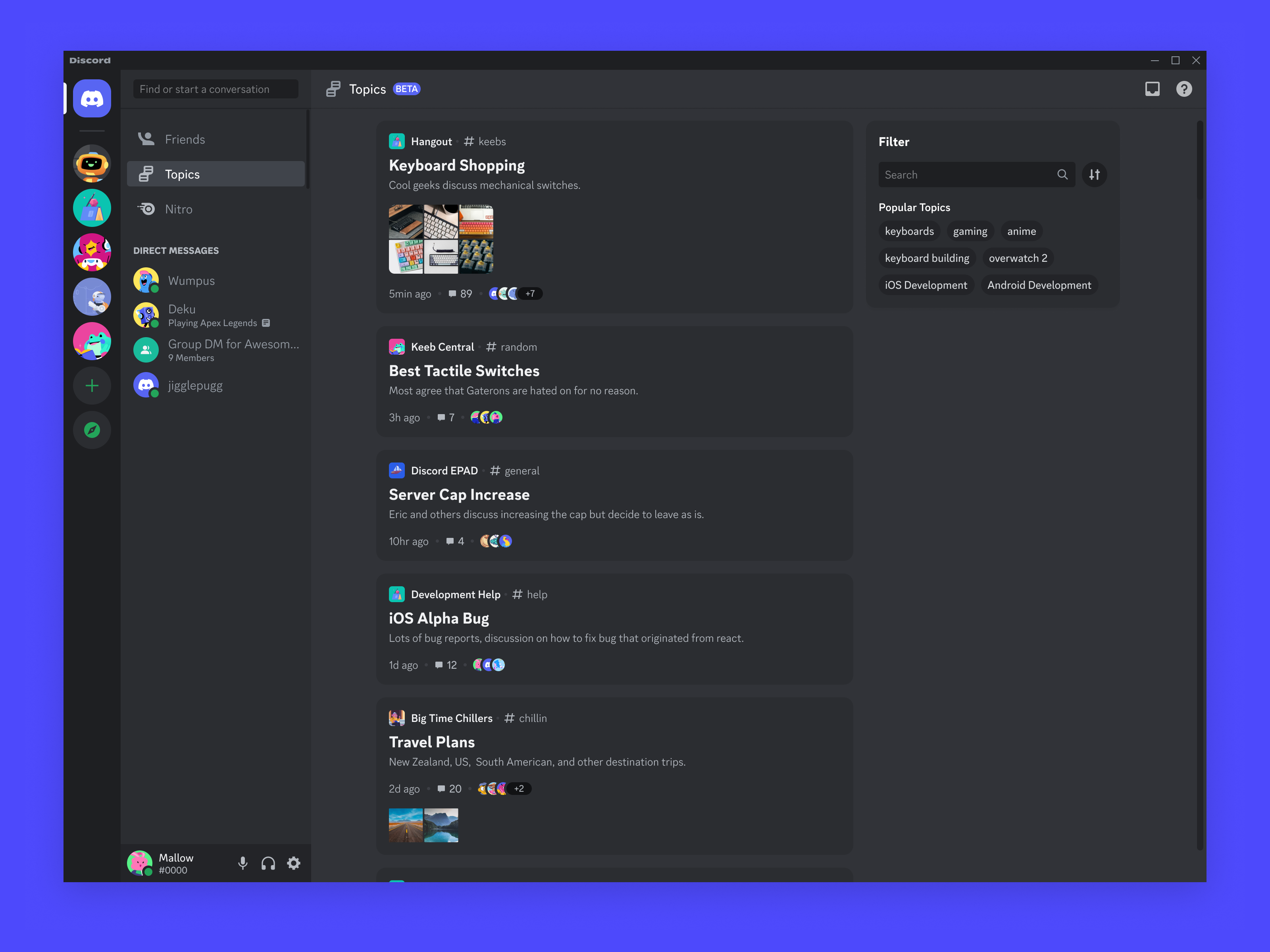
Feature placement
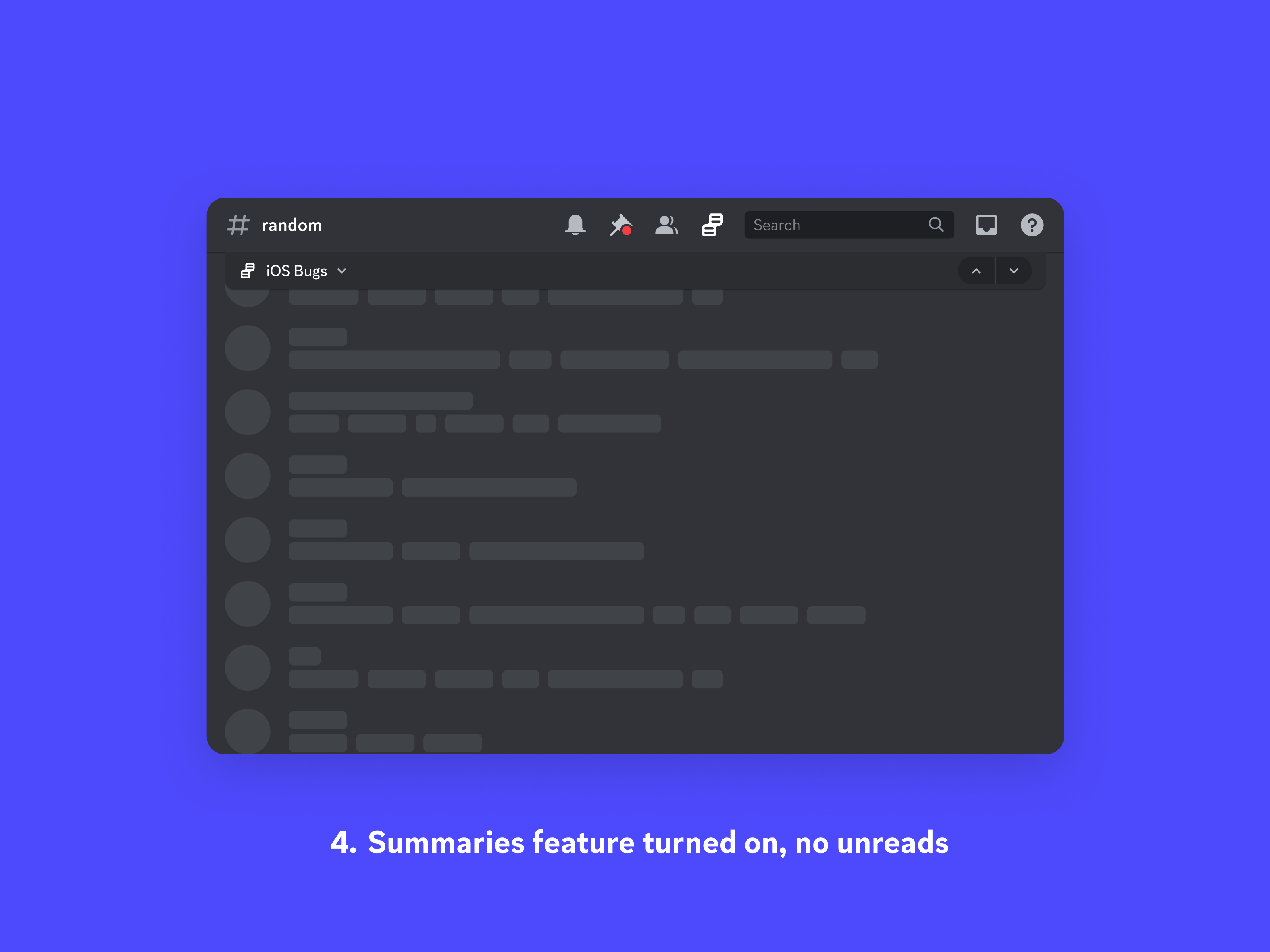
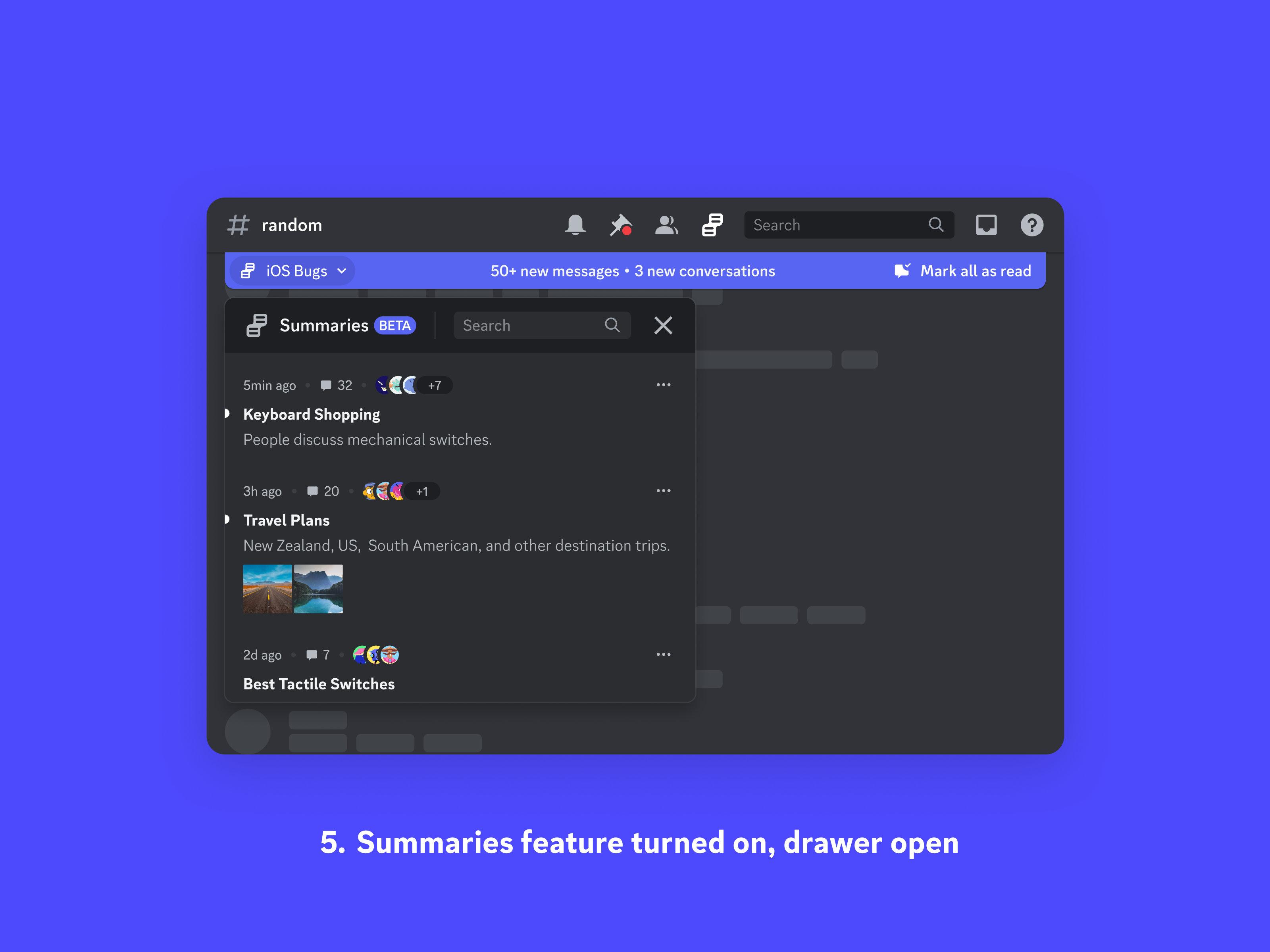
Where I settled on placing the feature was directly in the channel itself. Since we already had a component with the job of telling a user that there were unread messages (the blurple unread bar in the mocks shown below), I decided to modify it rather than create a new surface. Essentially, providing a user information that there's conversations available in a channel is a more granular way of looking at a set of unread messages. The images below show the different states that a user might be in when interacting with the summary feature. When the feature is turned on, they have the ability to see how many new conversations have happened since they've been away, and they have the option to click in and see a list of conversations rather than have to scan the entire set of messages and see what has been talked about.
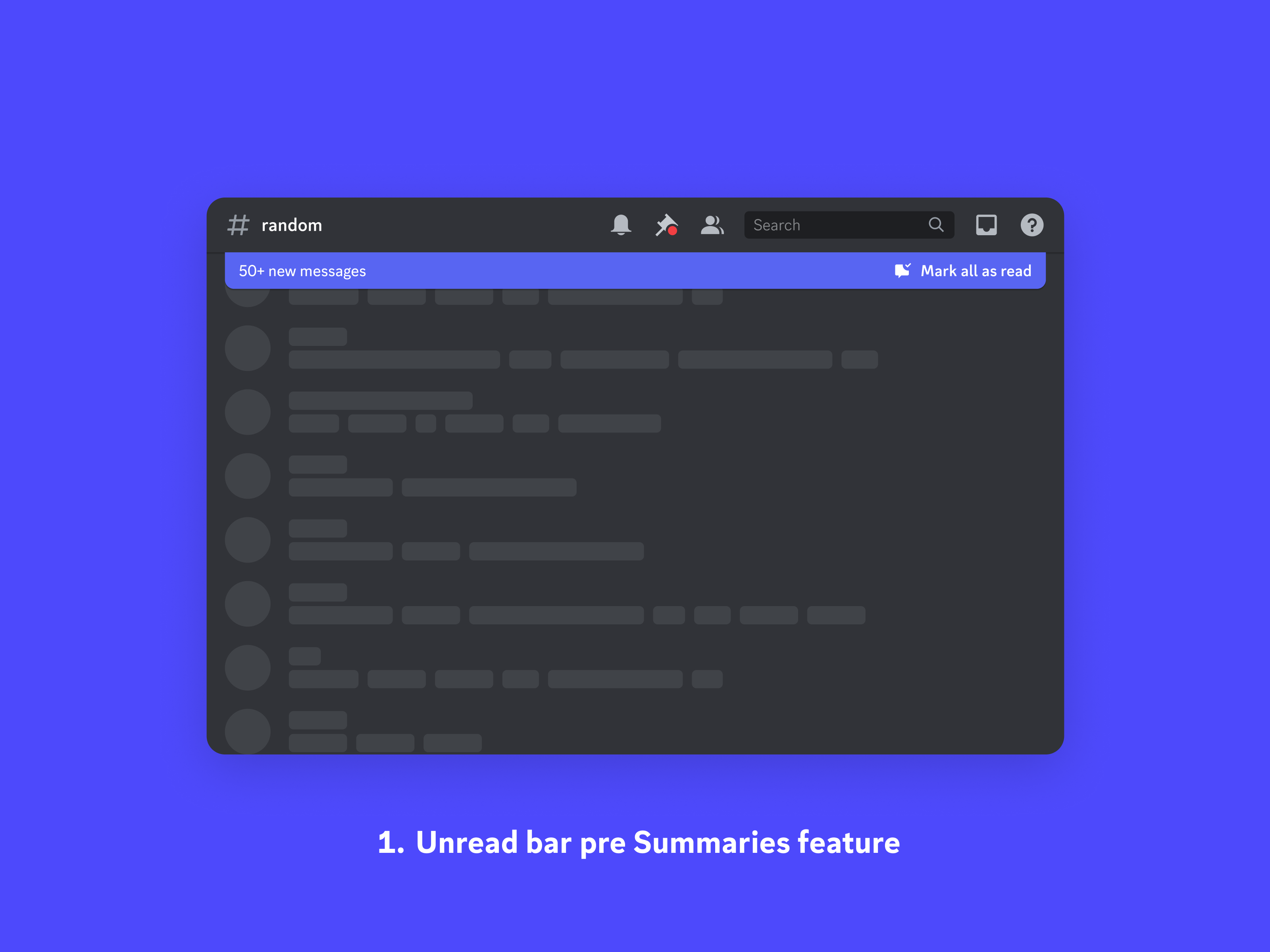
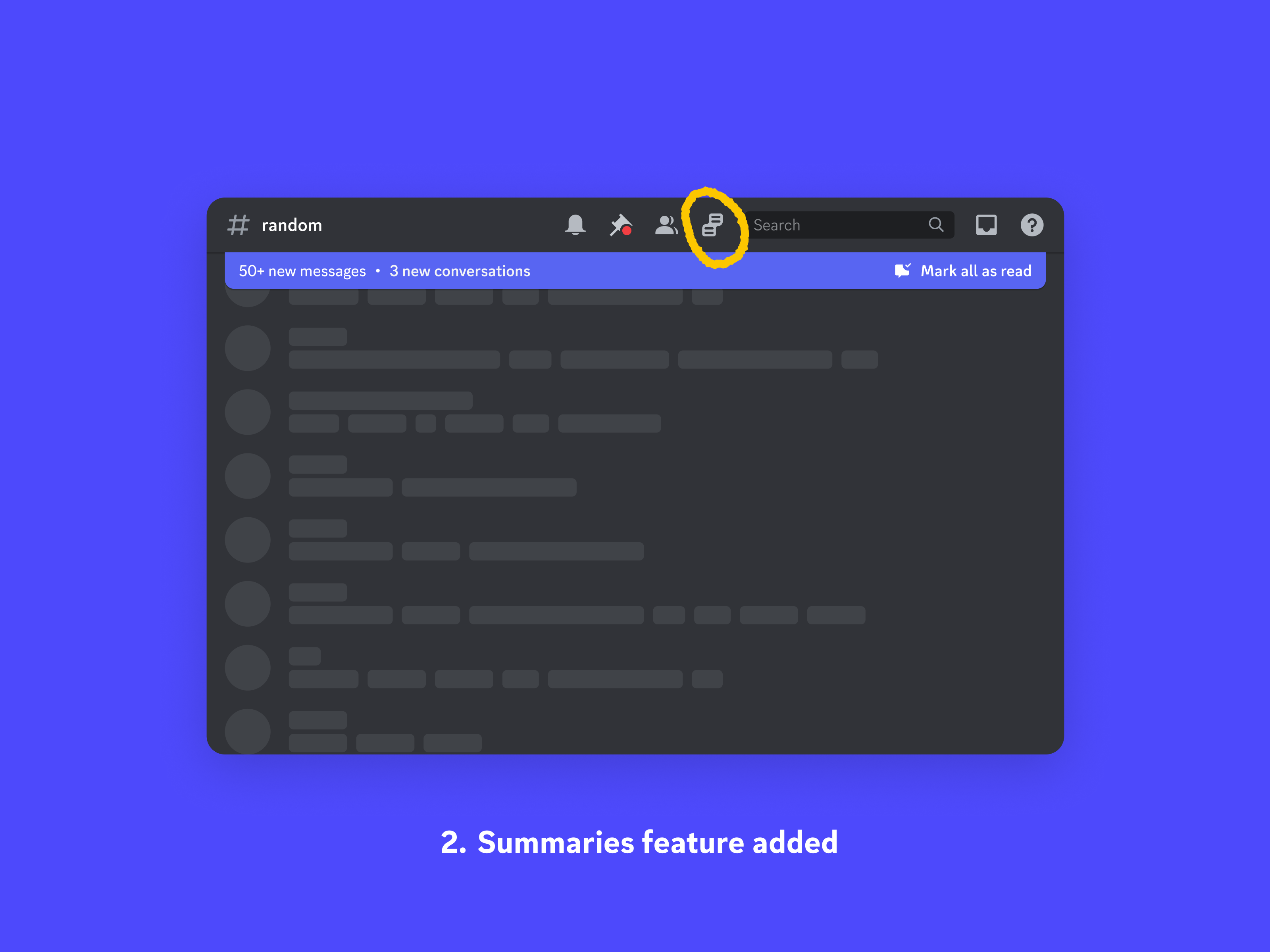
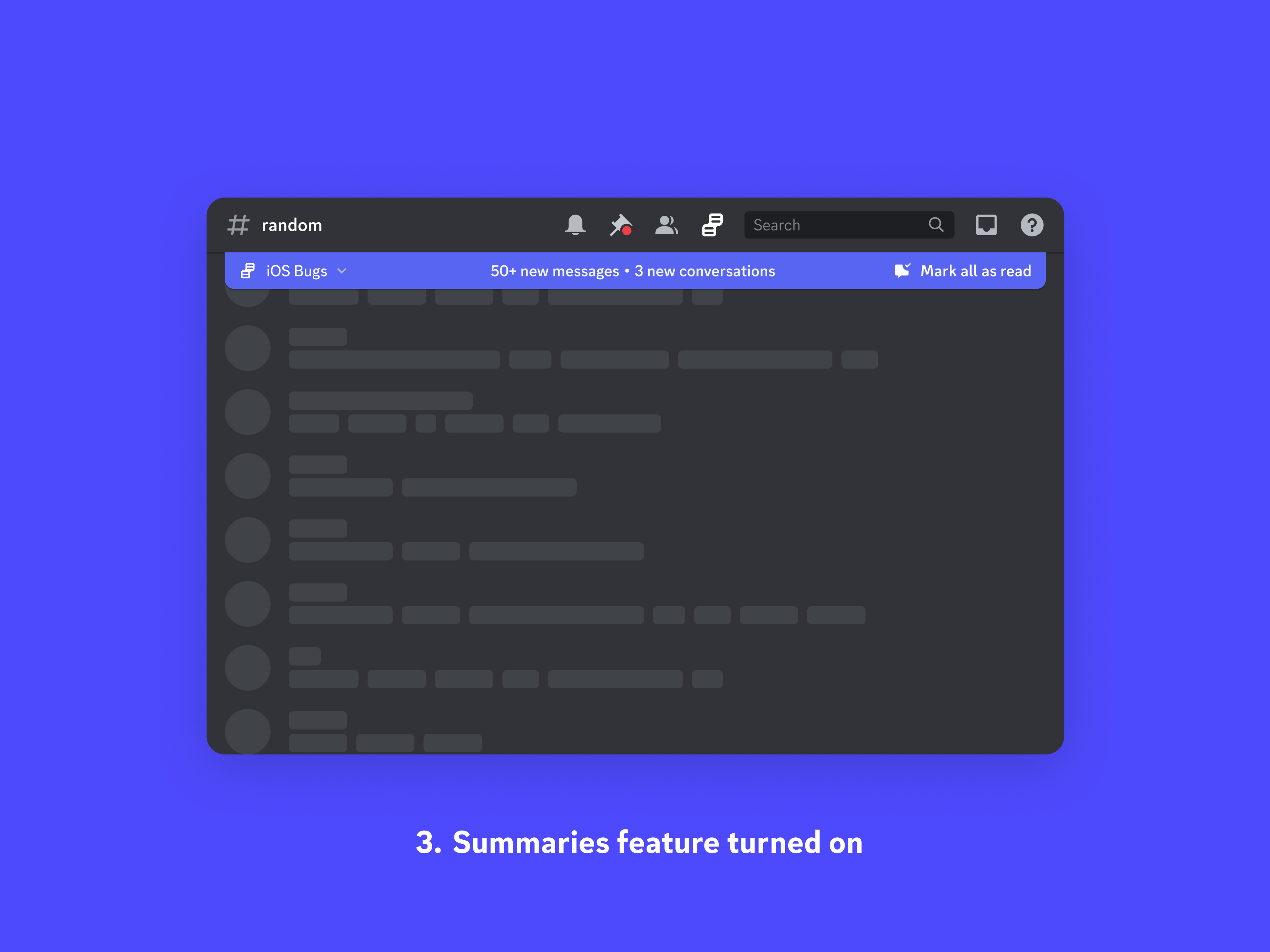
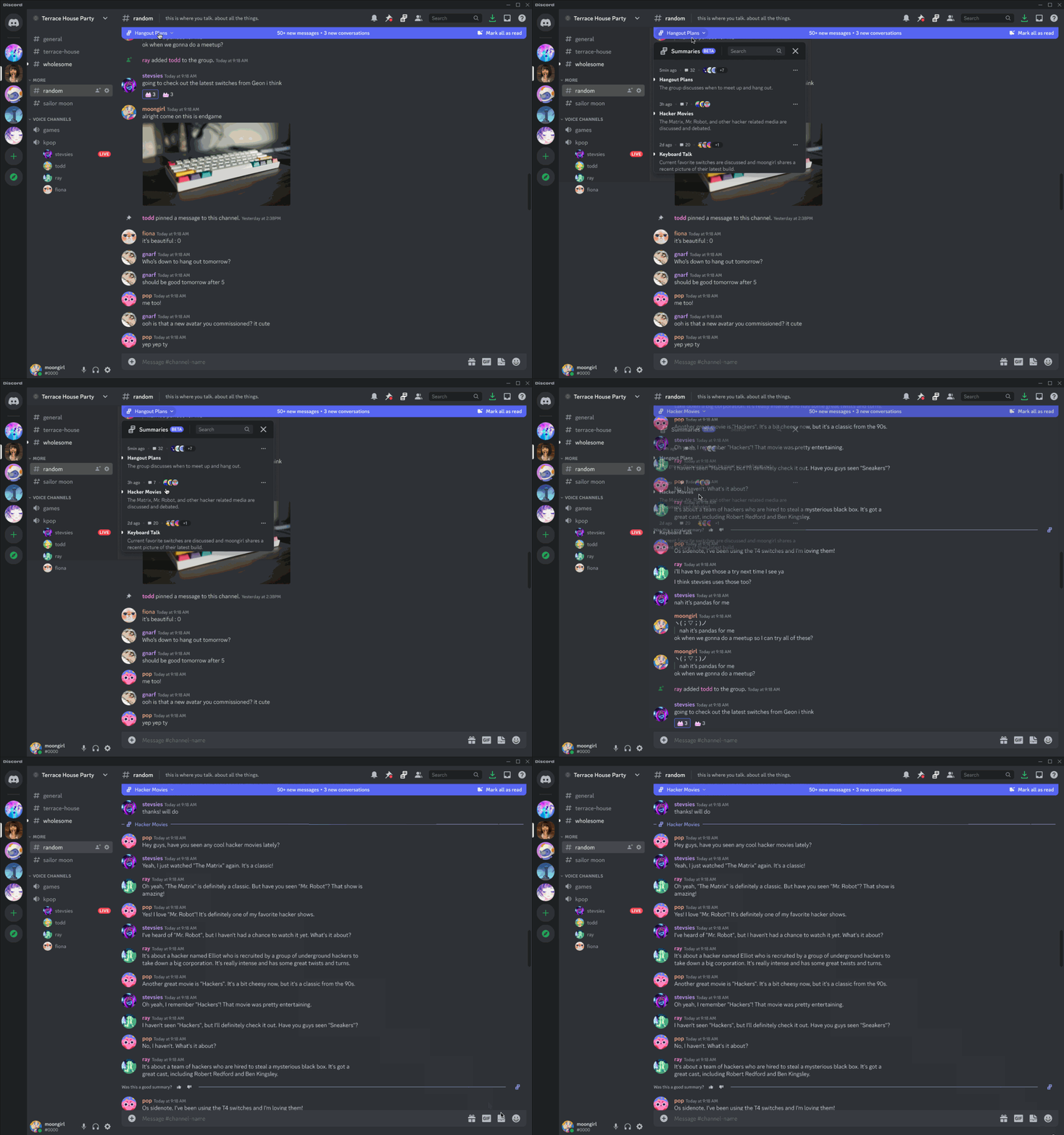
Here are some crunchy GIFs that show the feature being used. First, a user using the drawer to navigate to a conversation. When they do so, they are scrolled to the first message and provided dividers in chat that show the bounds of a conversation.
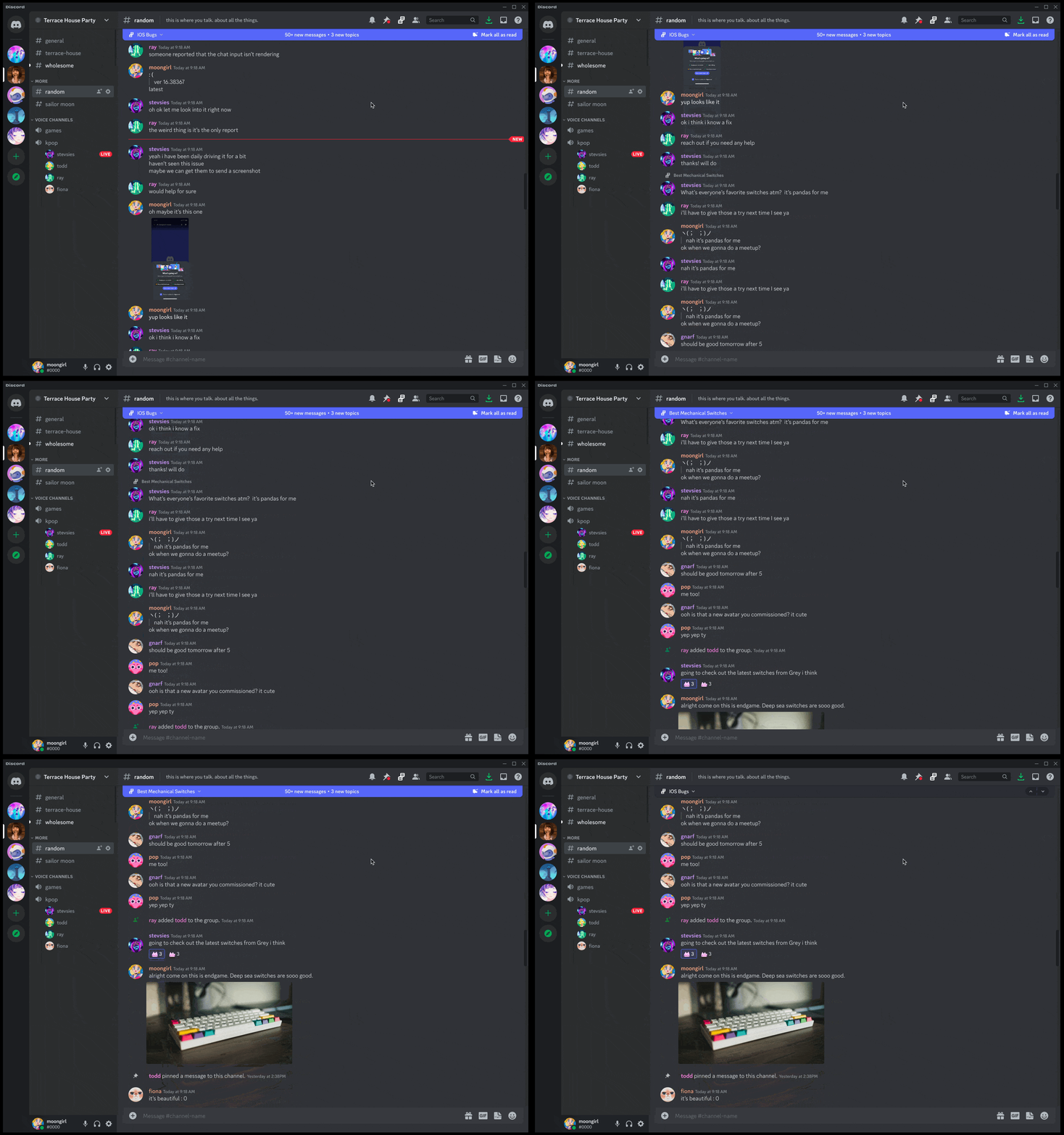
Here you can see a user scrolling in chat and the summaries bar is updating to show the current topic at all times.
Early user feedback taught us that people were loving having a new way to browse dense chats. One surprising use case that emerged from this that I didn't anticipate was moderators finding the feature especially useful to see if there was any problematic activity happening in chat at a glance.
Exploring what a new primitive unlocks for the platform
We shipped conversation summaries to a small percentage of servers to monitor. While collecting data, I started to explore what a new primitive, conversations instead of messages, meant for Discord.
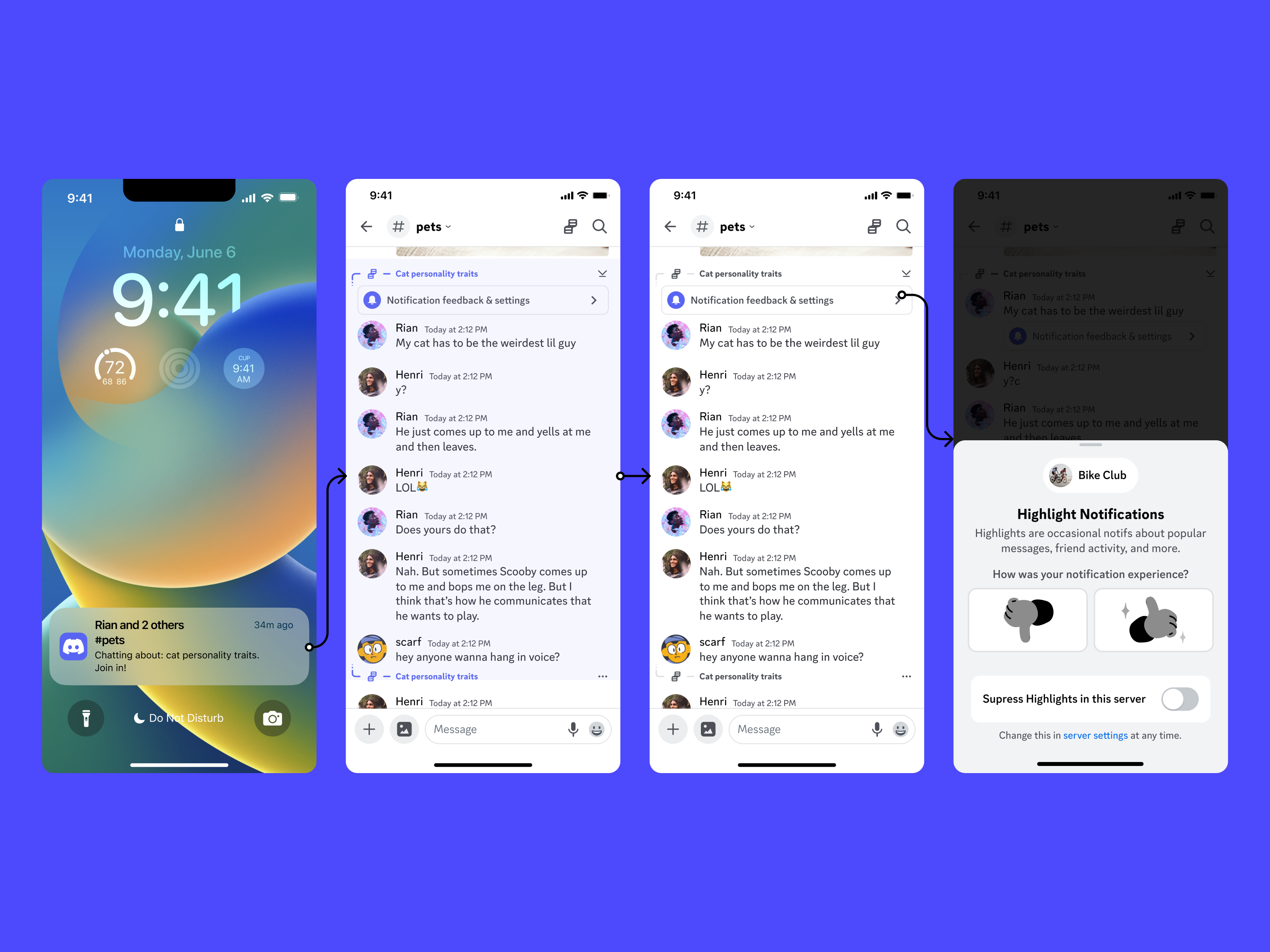
One lever I knew we needed to test was utilizing notifications to tell users about interesting conversations. Initially these would be heavily based on friend affinity, but in the future they could include things like topics that you like to talk about whether it's from existing friends or potential new ones. Here's a screenshot showing the user tapping a notification, how the conversation renders with bookends to show bounds, and the user being able to easily give us feedback if they would like to turn these notifications off. My principle on notifications is to always offer users granular controls rather than frustrating them to the point they turn off notifications wholesale.
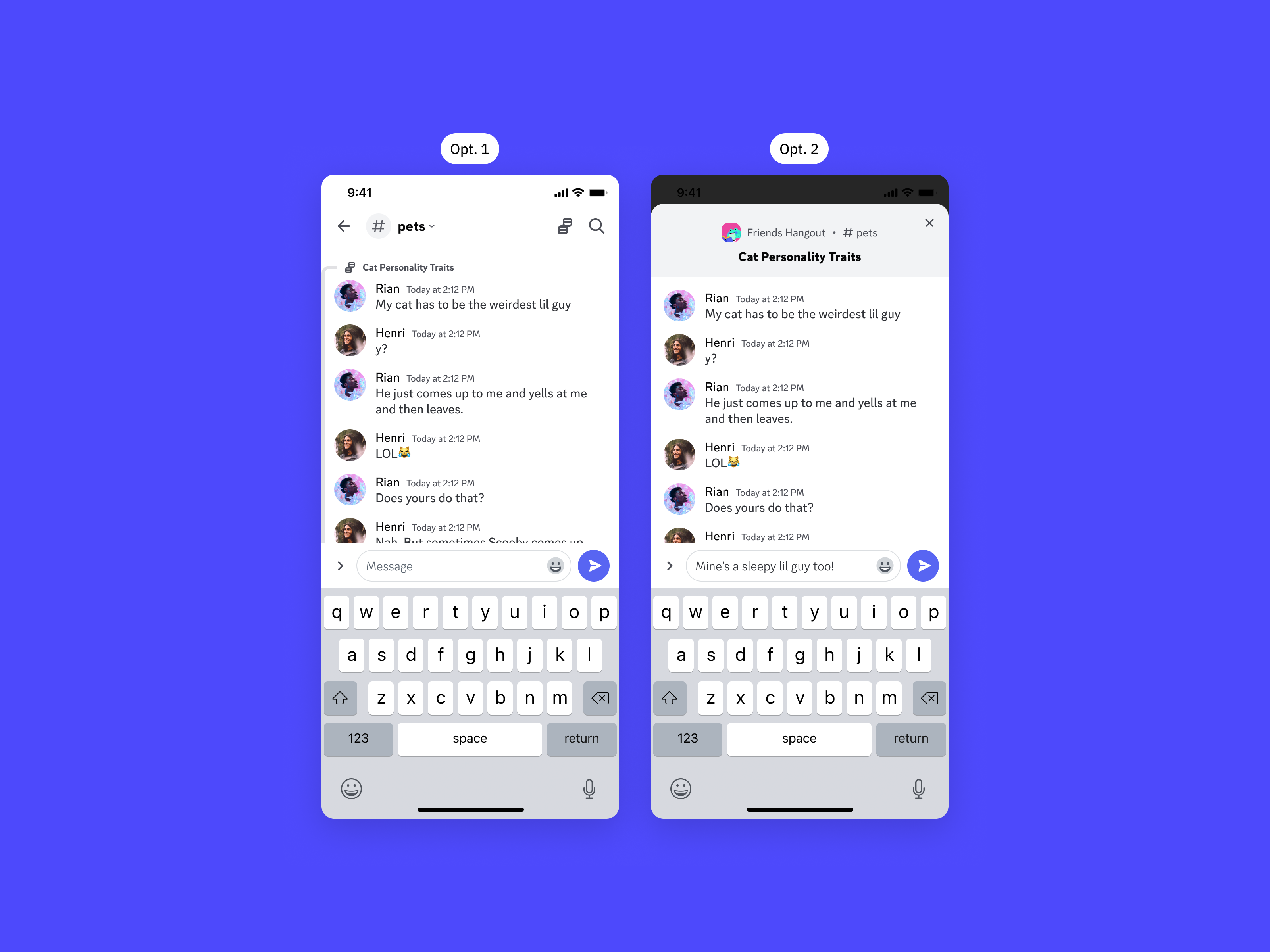
I also user tested some variants of how we wanted to drop a user into the conversation — whether that was just chat or a modal view of the conversation. Both versions were equally successful so I went with the simpler option to drop users into chat.
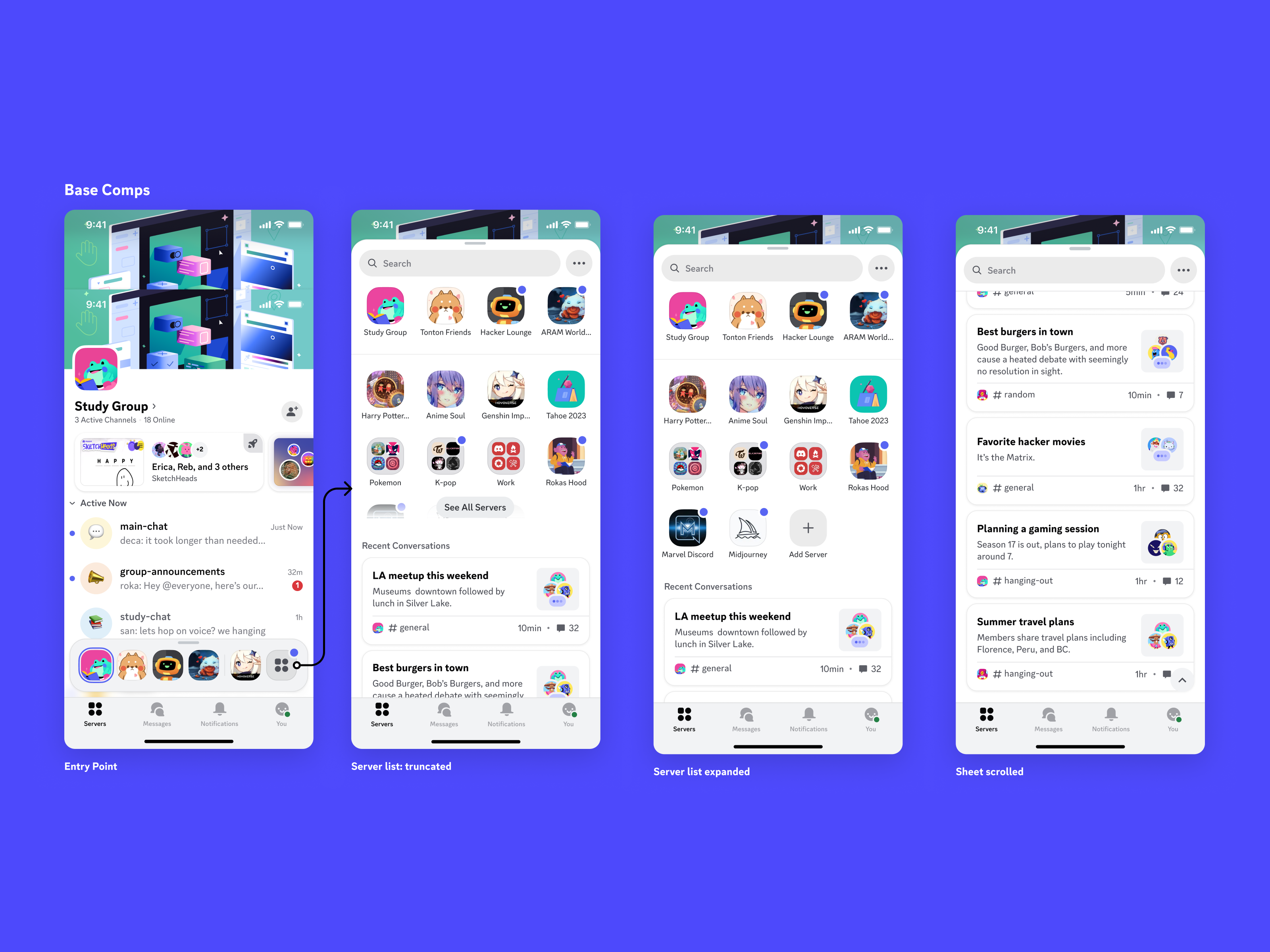
The following screens show a design where I placed conversations from across a users entire set of servers in one of the critical paths of using the application: switching servers. The hypothesis here was that when a user is at a critical spot like this, deciding where to go to read new messages, seeing conversations might actually be more helpful than just a list of servers.
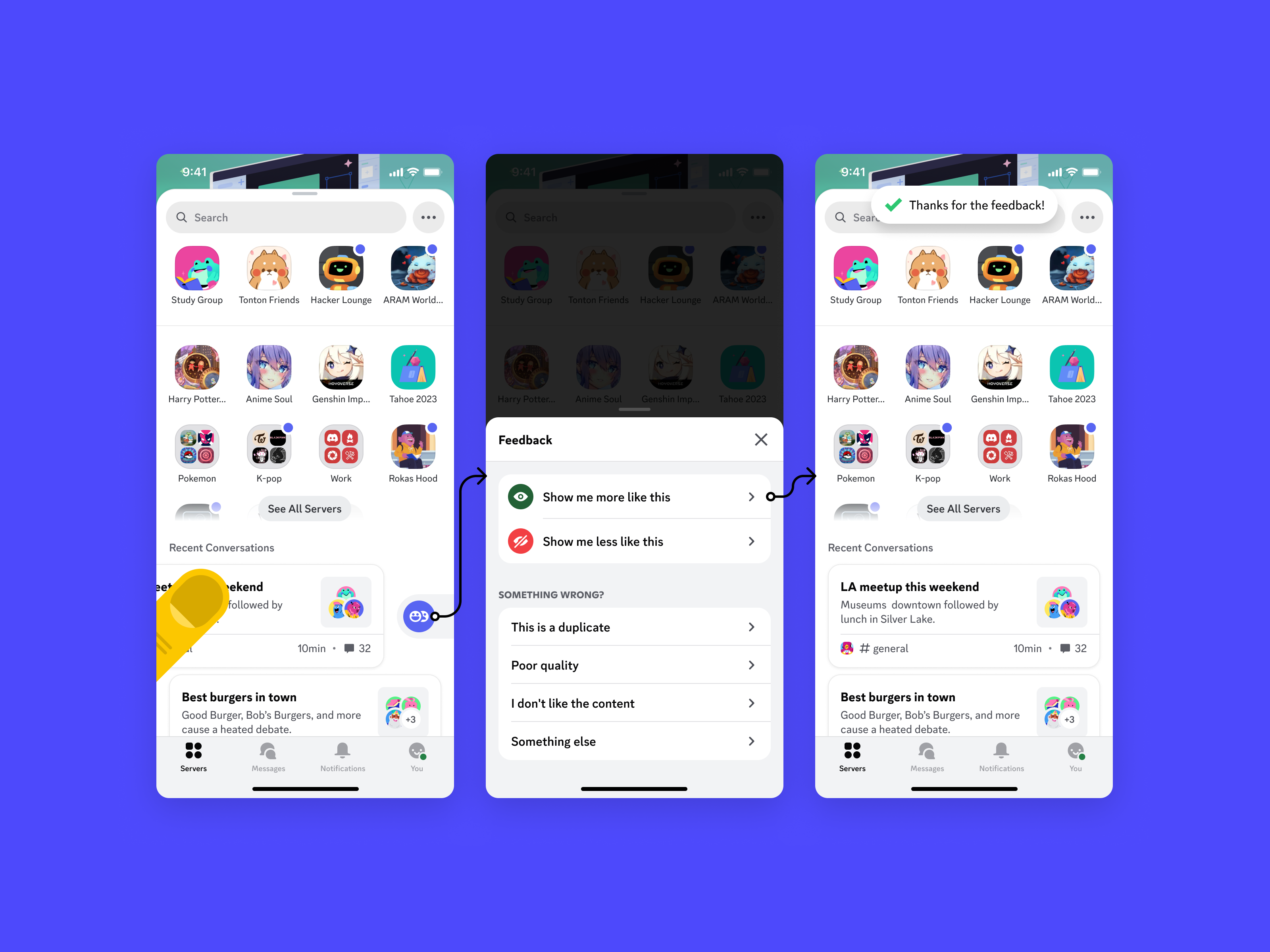
As with notifications, I also wanted to eventually allow a user to fine tune the conversations they see most prominently by giving users a feedback mechanism.
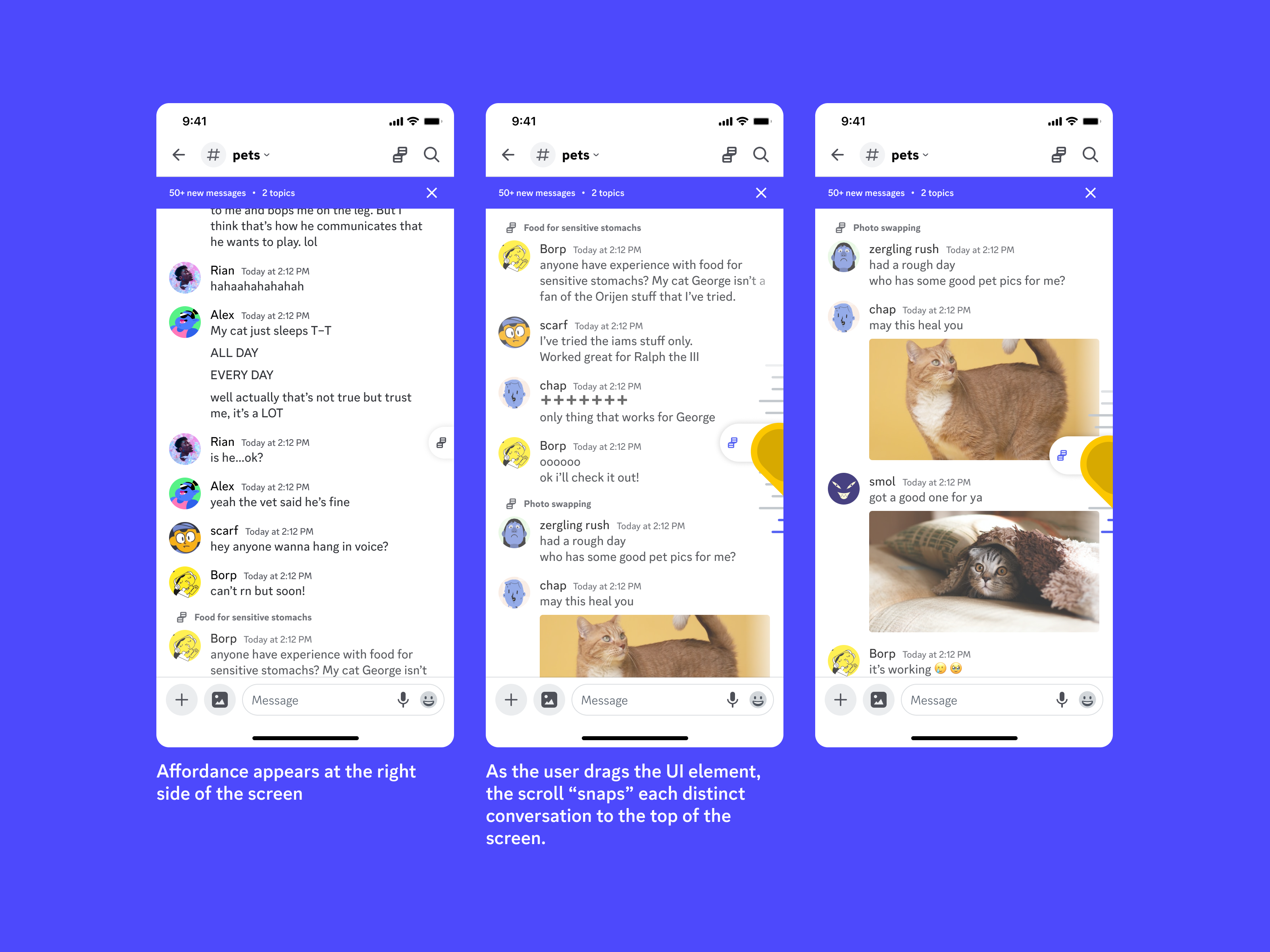
One of the most exciting prototypes I worked on was a way for users to scroll chat conversation by conversation similar to how you can drag letters of the alphabet in your contacts to quickly snap to groups of content.
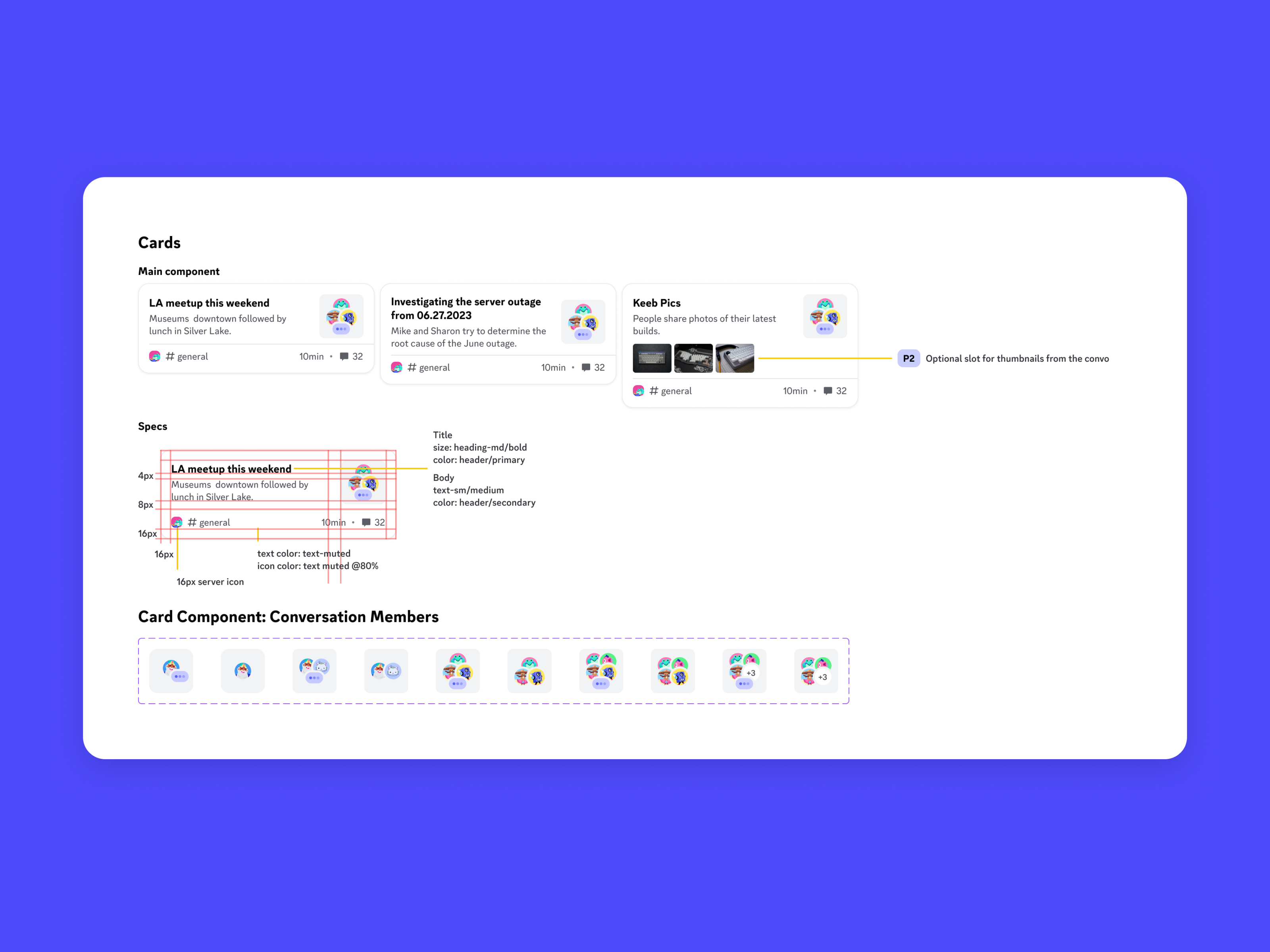
Here's an example of how I spec a new component when working with engineers.
Conclusion
With the feature out to 1% of users on desktop, we saw roughly 15% of users were viewing summaries, and of that group more than half clicked on a summary to view more. The initial feedback from the desktop beta test was positive enough that the team was set to continue with experiments, starting with the notification work I showed above.