Summary
Starting with a blue-sky vision pitch to both Sony and Microsoft, I worked with both partners to enable true cross-platform voice chat for gamers around the world. Finally, gamers playing on an Xbox or a PS5 could seamlessly chat with their friends playing on PCs or other consoles.
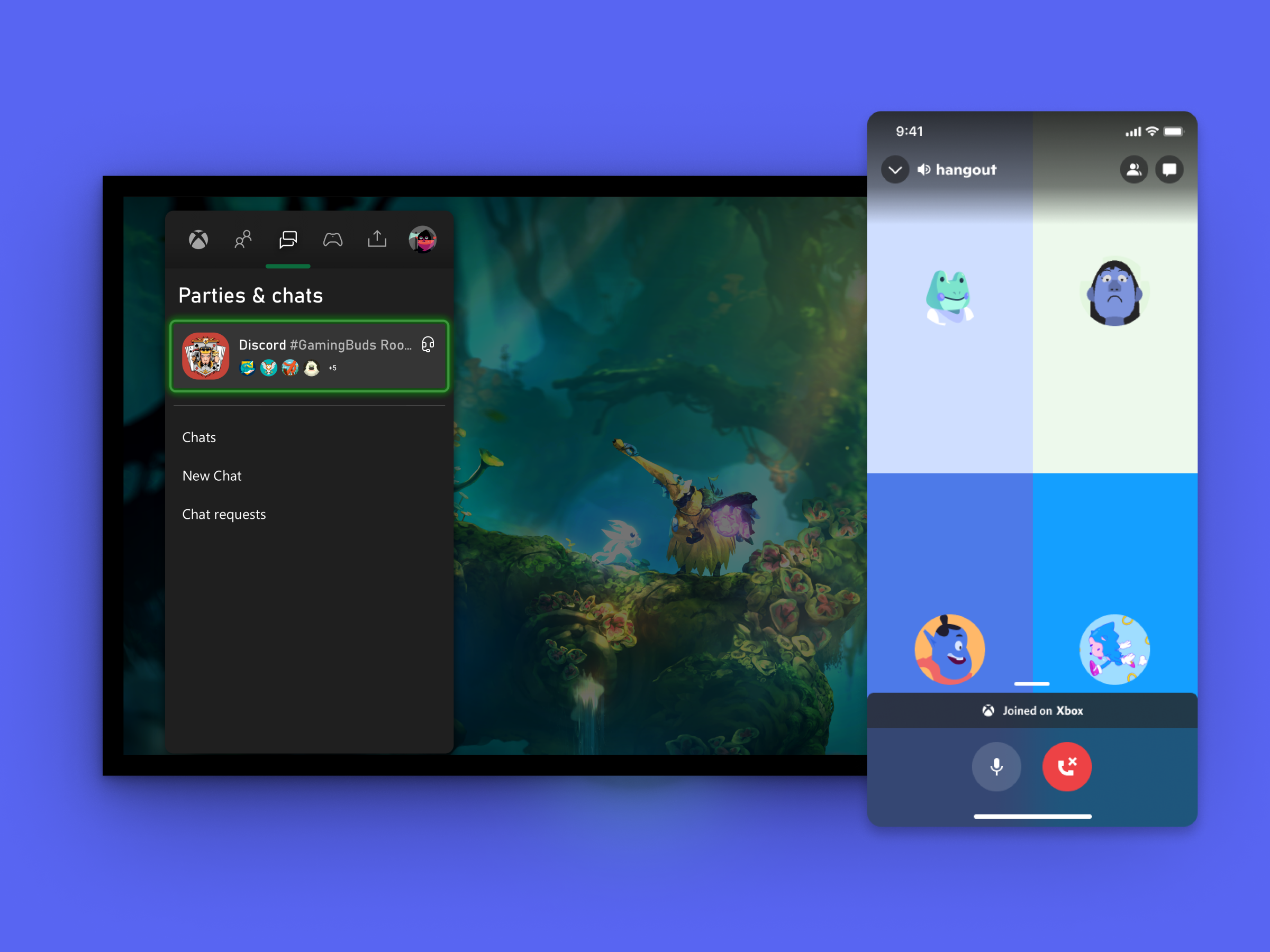
Remote control experience.
The opportunity
Discord was uniquely positioned to be the cross platform "glue" to stitch together voice chat across multiple platforms. If we could get this feature to work on consoles, players on different siloed ecosystems would finally be able to voice chat with one another. Cross-platform voice chat sounds simple in concept, but it meant navigating real constraints like making sure the feature worked across many devices as well as coordinating between the two companies regarding design alignment and quality bar.
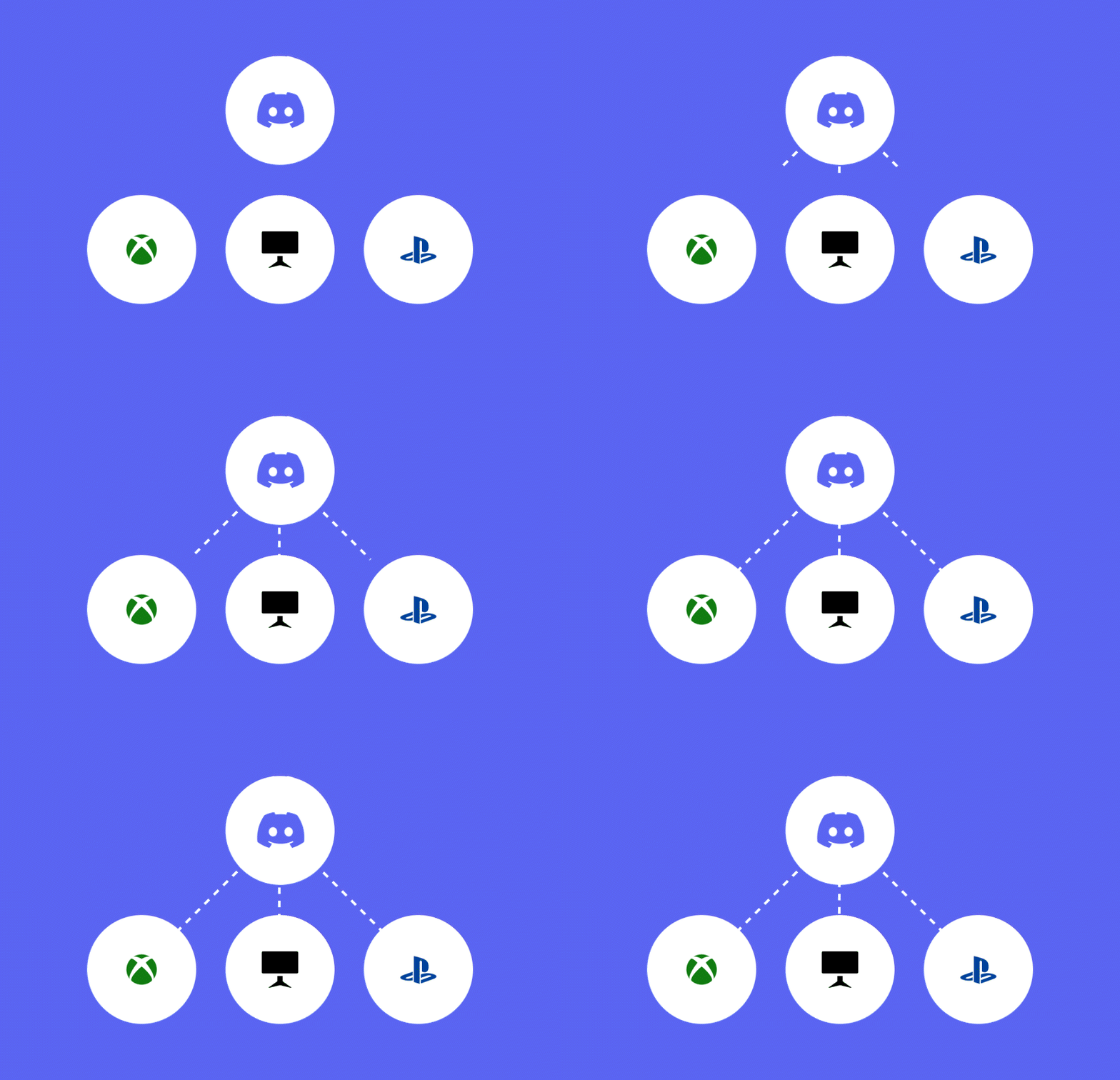
Pitching the vision
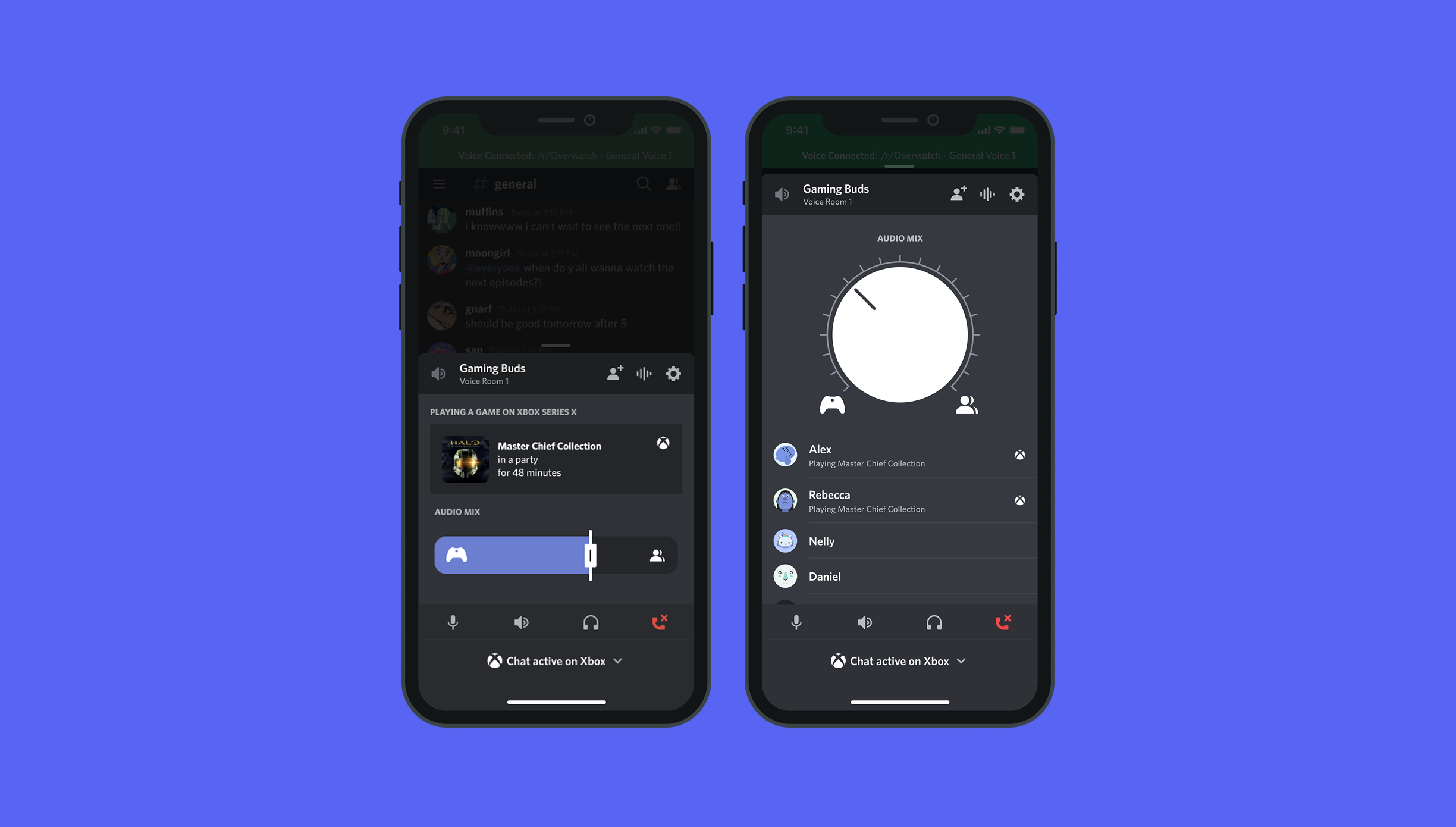
I worked on a magic wand vision deck to show to Xbox to get the deal signed. I can't show all of the work, but here are some sample explores. The first is an early version of how voice chat might look when connected to an Xbox. Here I explored some UI components based on physical gaming hardware.
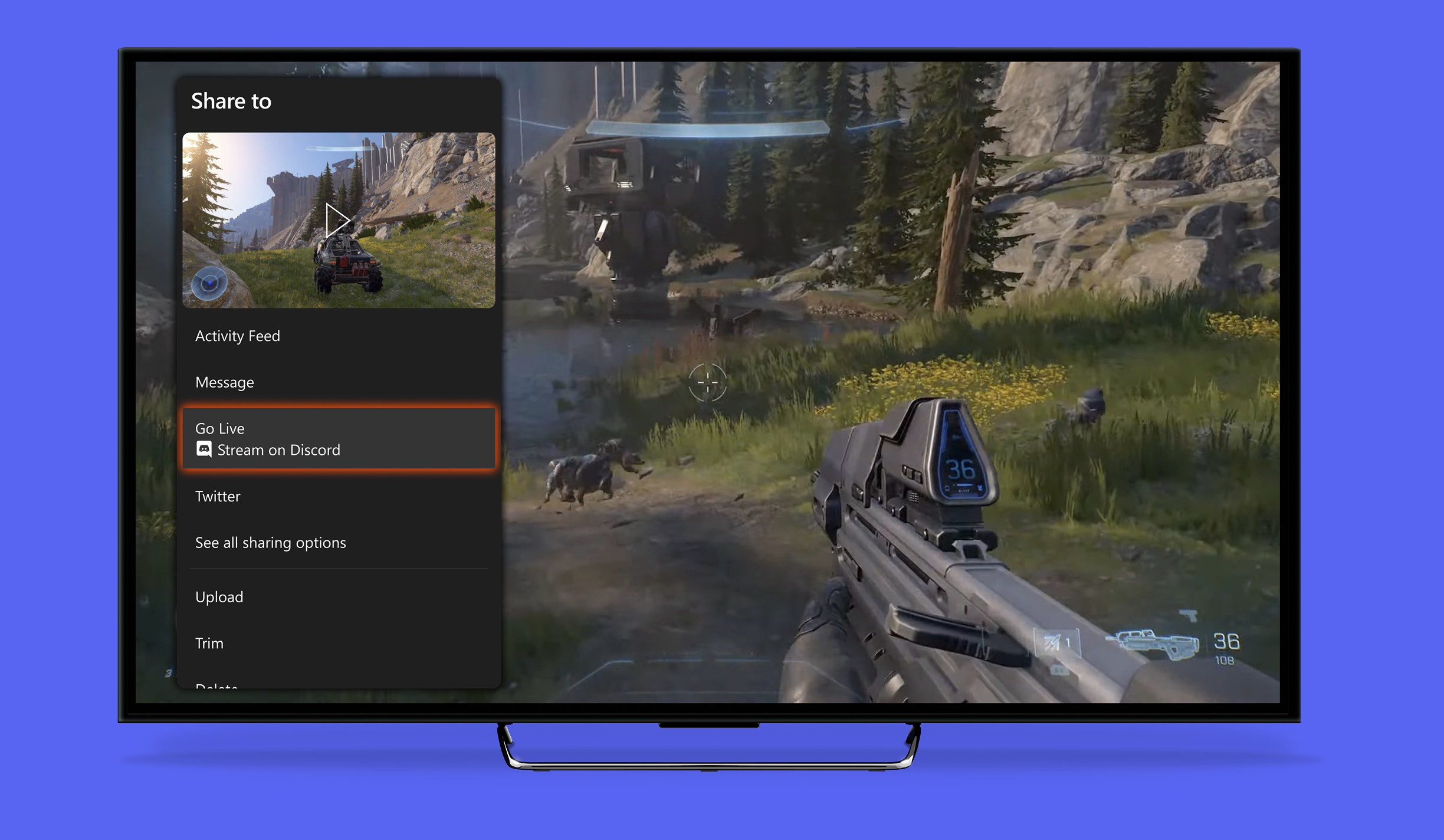
I also wanted to show some lightweight ways that the integration could be really powerful, such as having an entry point to Discord's screensharing feature, called Go Live, on the native Xbox share sheet. Fun fact, at the time there was no publicly available Xbox UI kit so I recreated all the UI we would need to show on console UI from scratch.
Getting set up with confidence
When the project was approved, a scoped down version of the magic wand deck features were ready to go. We wanted to ship simple account linking and joining voice on console. For simple account linking, this was the first time Discord had a bidirectional account linking flow, so I added step indicators throughout the flow to help orient the user to where they were. Additionally, I added in information about the required Xbox app and included an animation at the end of the flow to educate where to start the call. Initially I tried to get by without these additional elements so we didn't need to build new componentry, but in a flow like this, early prototypes showed that they were needed. The step indicators and animation turned an opaque technical process into something legible to the end user.
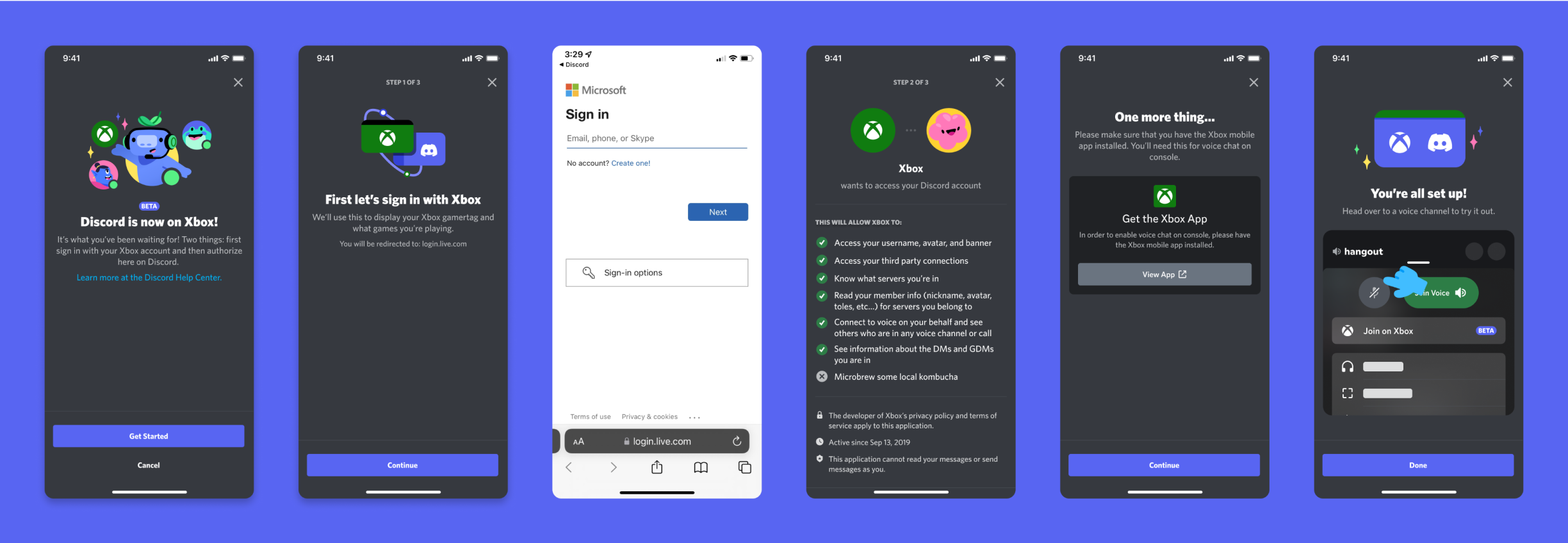
Bidirectional account linking flow
FTUX
To further guide gamers on where to initiate the new feature, I added a banner above the call sheet which led to some of the signature Discord sparkles to guide gamers to the entry point. Since this was a brand-new entry point that didn't map to any existing mental model, the risk was that the feature would ship and go unused simply because people didn't know it existed or where to find it. The FTUX elements were designed to address that discoverability gap directly — the goal was to get a first-time user from 'I don't know this exists' to 'I successfully started a cross-platform call' with as little friction as possible.
First time UX to educate where to kick off the call from
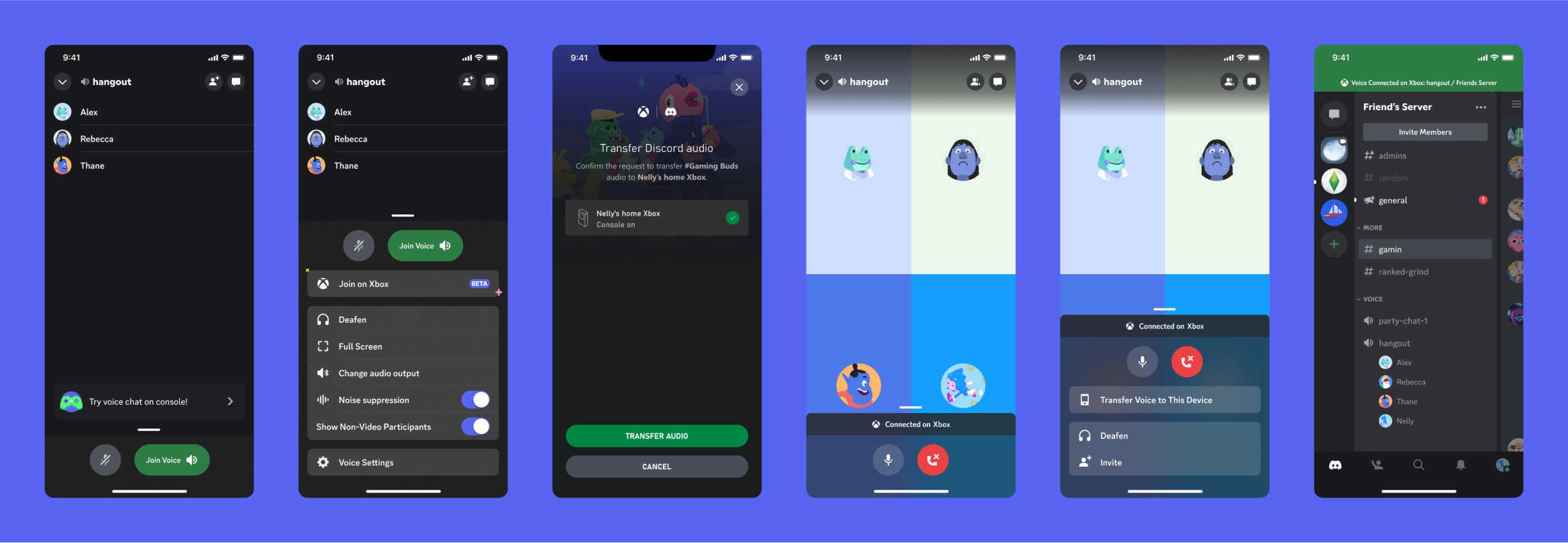
Joining a call
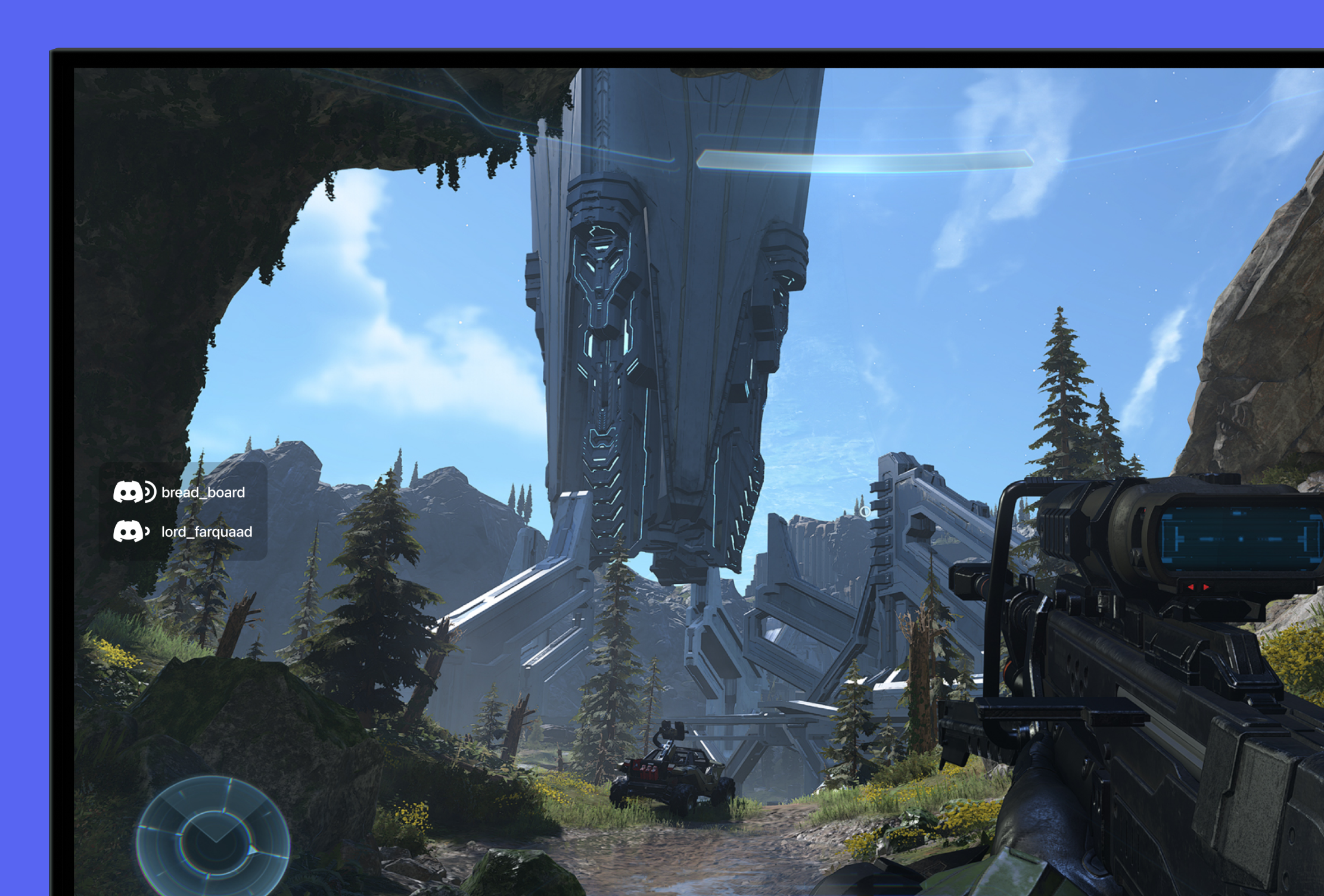
Custom speaking indicators
A small detail, but one that made the experience feel that much more Discord-like, was the custom speaking indicators for the Xbox overlay I designed that clearly indicate you're connected on Discord.
Conclusion
The feature shipped to millions of users and after initial launch had around 150K daily voice users. My favorite result from the project is that around half of all calls on console also included desktop and mobile users, proving out the initial hypothesis that Discord could enable cross platform voice chat for console gamers.